Tired of missed inputs and random character movement? Don't let a faulty controller ruin your K/D ratio. MyGpad Tester delivers a pro-grade, millisecond-accurate scan to pinpoint stick drift, ghosting buttons, and slow trigger response times instantly.
Whether you're on PS5, Xbox, or PC, our raw Gamepad API integration detects hardware failure before it costs you the game. No downloads, no lag just plug in and verify your controller's health in real-time.
Press any button to begin scanning
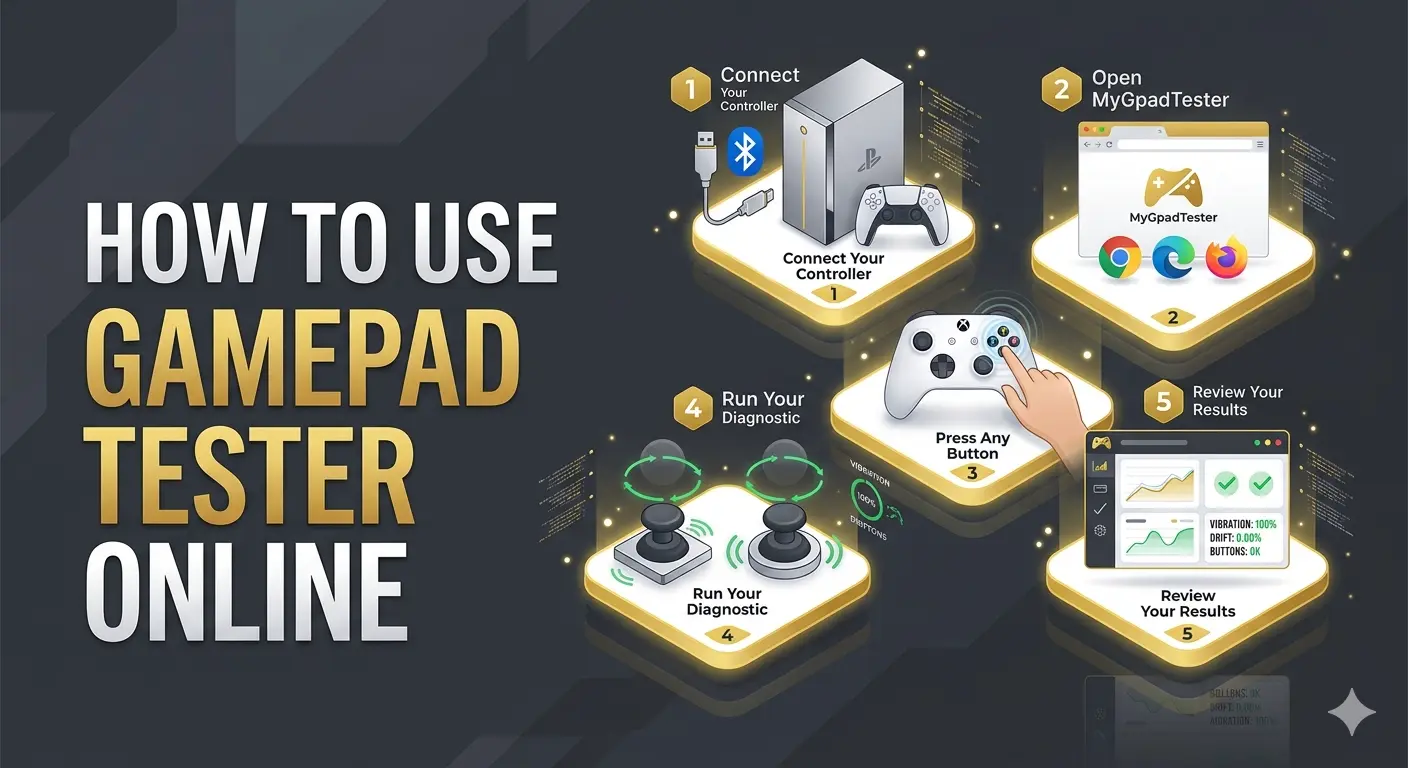
Get a full controller diagnostic in under 60 seconds. No downloads. No setup. Just follow these 5 steps.
Plug your controller into your PC via USB cable, or pair it wirelessly via Bluetooth through your device settings. Works with PS5 DualSense, PS4 DualShock 4, Xbox Series X/S, Xbox One, and most generic USB/Bluetooth gamepads.
Works best on Google Chrome, Microsoft Edge, and Firefox. All three offer full Gamepad API support. Safari has limited compatibility, so Chrome or Edge is recommended for the most accurate diagnostic results.
Press any button; your controller instantly appears in the interface. Chrome and Edge give the best results. Browsers need this physical input before the Gamepad API activates.
Test every part: Move both analog sticks in full circles to check for stick drift, pull both triggers for pressure values, and run the vibration test to verify both rumble motors are working.
Results appear in real time. Use the diagnostic data to decide if your controller needs cleaning (IPA/Contact cleaner), recalibration, or hardware repair based on unresponsive buttons or axis offset.
8 Professional diagnostic modules engineered to expose every hidden fault your controller is carrying.
Run a full one-click health check and get an instant overview of your entire controller. Generates a total health score where 100% means your hardware is operating within factory specifications.
Gamepad Health CheckerVerify if your inputs actually registered. Catches ghost inputs, stuck buttons, and dead zones on every face button. Validates tactile response and ensures all digital switches are firing correctly.
Launch Button TesterMeasure the exact communication delay between your controller and your PC in real-time. Tracks input latency in milliseconds (ms) to identify if your Bluetooth or USB connection is causing sluggish gameplay.
Check Input Lag MSFree Online Drift Checker. Set your controller down and see if anything moves on screen. Detects axis jitter where values exceeding 0.05 indicate a worn potentiometer.
Stick Drift Test OnlineRead your L2/R2 and LT/RT pressure from 0% to 100% in real time. Monitors linear progression to see if your trigger reaches 1.0000 at full pull.
Controller Trigger TestIndependently test both motors including PS5 DualSense haptics and Xbox Series impulse triggers. Isolate Left and Right haptic channels to check if your rumble motors are failing.
Gamepad Vibration CheckerMap your exact deadzone radius where stick movement is intentionally ignored. Calculates the error margin to find the minimum deadzone required in-game.
Joystick Deadzone TestPolling rate determines data speed. Reveal your controller's actual performance. Live frequency tracking to measure average vs peak Hz and latency stability.
Gamepad Polling Rate Hz CheckerMyGpadTester works with virtually every major gaming controller through the browser's native Gamepad API. No drivers, no setup, no configuration. Just connect and test.
Works with every PlayStation controller from PS3 to PS5. Full button mapping, stick drift detection, and haptic testing DualSense adaptive triggers included.
Official support for Microsoft's complete range of competitive controllers.
Calibration and input checks for Pro Controllers and individual Joy-Cons.
Steam Deck's built-in controls and external USB/Bluetooth controllers are fully supported via the Gamepad API.Compatible with every XInput and DirectInput device on the market.
Subtle axis creep. Phantom inputs. Off-center resting values. Our real-time monitoring detects the slightest analog stick drift before it costs you a match. Get precise X/Y axis offset readings and recalibrate your PS5 or Xbox controller instantly.
100% browser-based utility. No installers or hidden software. Your controller data is processed locally via the W3C Gamepad API—never uploaded, never stored. Fully secure diagnostics.Powered by the native Gamepad API compatible with XInput and DirectInput protocols
Zero-latency feedback. The moment you press a button, you see it. Real diagnostics require real-time data.
Full support on Chrome, Edge, and Firefox across Windows, macOS, and Linux systems.
Works with PS5 DualSense, PS4 DualShock, Xbox Series X/S,Nintendo Switch Pro, and generic pads. If the browser detects it we test it.
USB connections deliver 1–2ms polling for the sharpest readings, while Bluetooth remains precise for casual diagnostics.
Free for every gamer, everywhere. No premium tier, no limits.
Privacy by design. No analytics on your inputs. No tracking. Just clean, private controller diagnostics that stay 100% in your browser.
Most tools require calibration before testing. We skip the setup—connect, press any button, and start. Results in under 60 seconds, every time.